


In this article we’ll show you, how to add Google Analytics to Shopify. Follow this simple steps…
Step 1: Get Started
First go to your Google Analytics account and from sidebar click on Admin.

Now form here, In the property column click on Tracking Info and then click on Tracking Code.
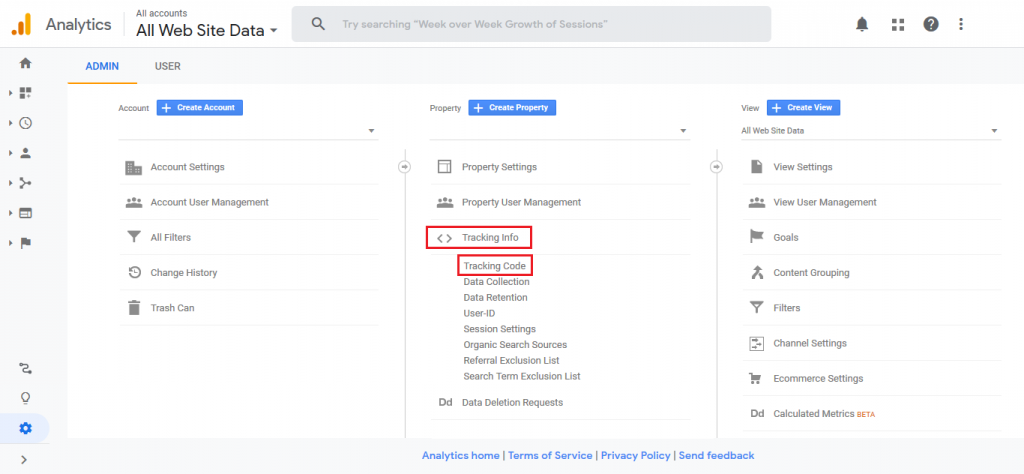
Now as shown in image below copy the code of Google Analytics.

Step 2: Add Google Analytics to Shopify
Login into Shopify Admin Panel and from sidebar, click on Online Store and then click on Preference.
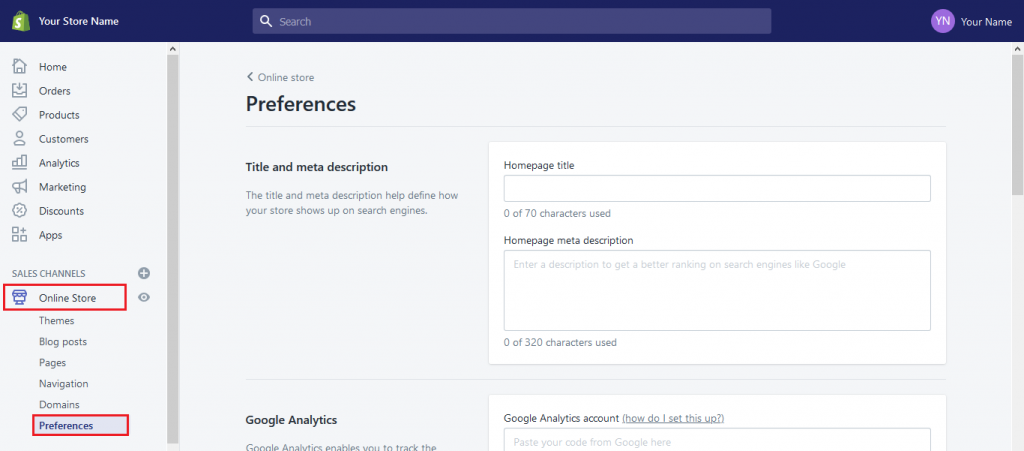
Now just scroll down you will find Google Analytics Section and then paste code here. Now click on Save button at top-right corner..
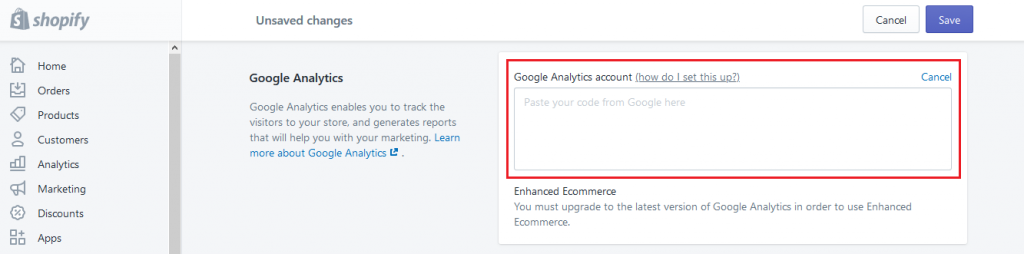
Yeah Done! You have successfully add your Google Analytics. Start analyze the data for your business.
Let us know in the comment section, if you have any question.

Ecommerce Root is one of the leading ecommerce guide which provides total solutions for ecommerce.


Leave a Reply