


In this article we’ll show you, how to Export or Import products with a CSV File in Shopify. Follow this simple steps…
Step 1: Get Started
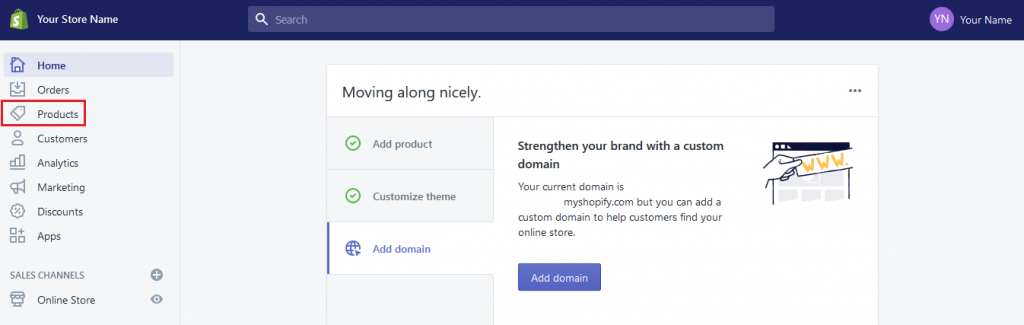
Login into Shopify Admin Panel and from sidebar, click on Products.
Step 2: Export or Import Products
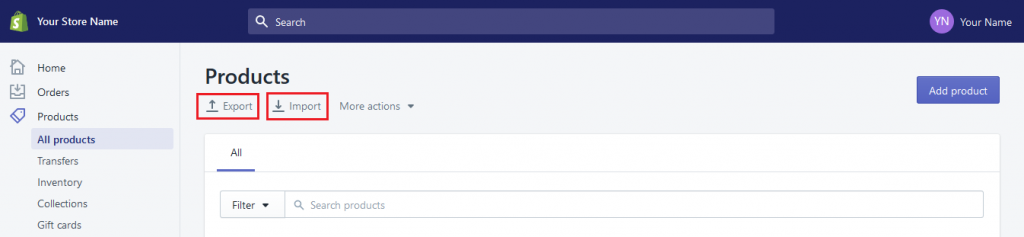
To Export the Products:
Click on Export button, One pop-up is open.
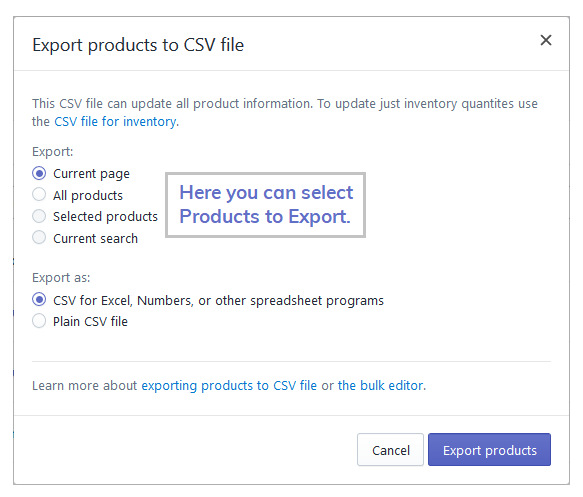
In this pop-up you can select the products to export and also select how you want this file plain CSV or CSV for Excel, Numbers, or other spreadsheet programs. Then click on Export Products button to export the products.
To Import the Products:
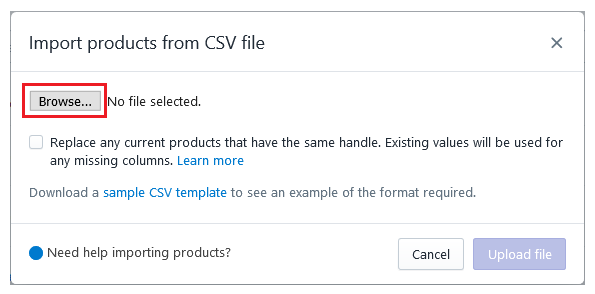
Click on Import button, One pop-up is open.
In this pop-up you have to add CSV file of the product to Import products in your store. Select the file and click on Upload File button.
Yeah Done! In the same you can Import or Export products as you want!
Let us know in the comment section, if you have any question.

Ecommerce Root is one of the leading ecommerce guide which provides total solutions for ecommerce.


Leave a Reply